
Step 1:
Connect your tablet with laptop or Computer through USB cable.

Step 2:
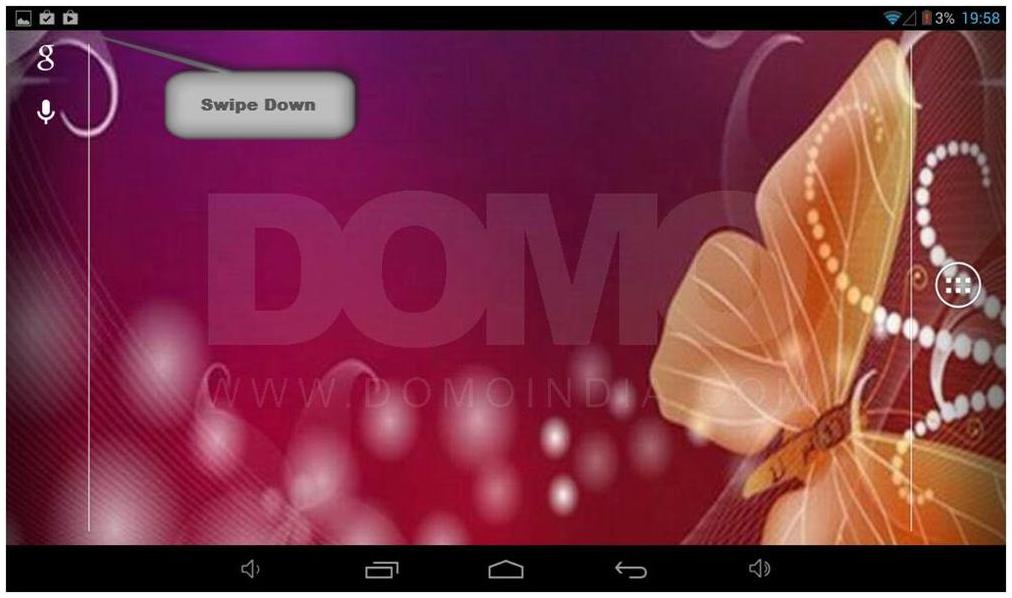
Swipe down from the left hand side corner of the screen.
Step 3:
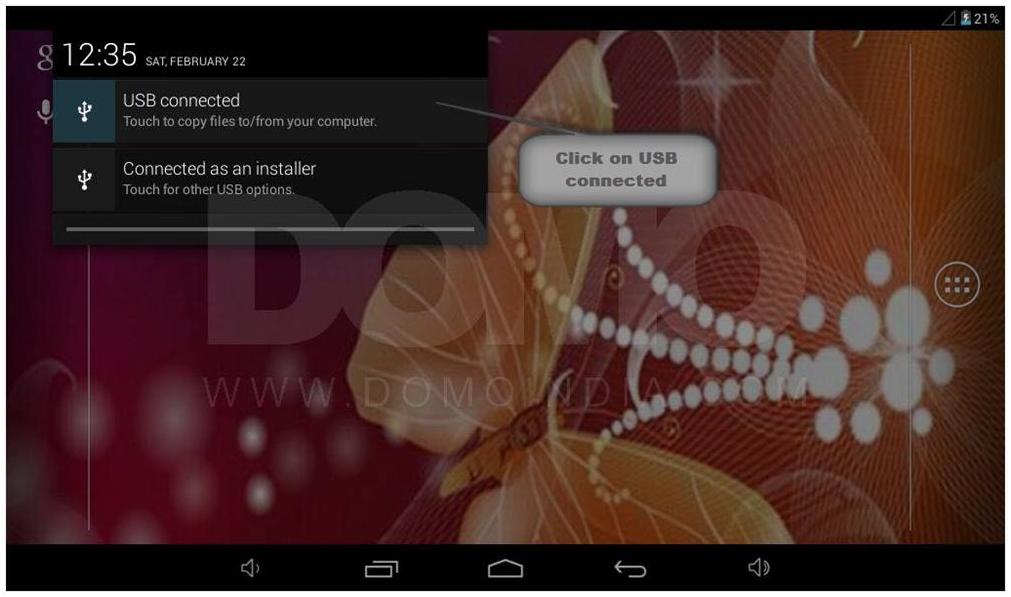
Click on USB connected.
Step 4:
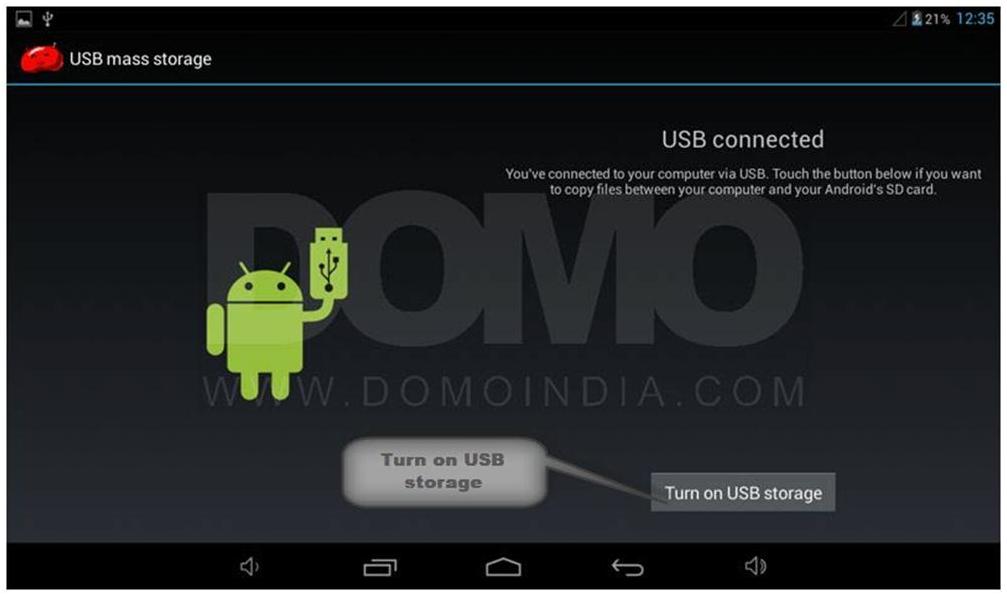
Turn on USB storage.
Step 5:
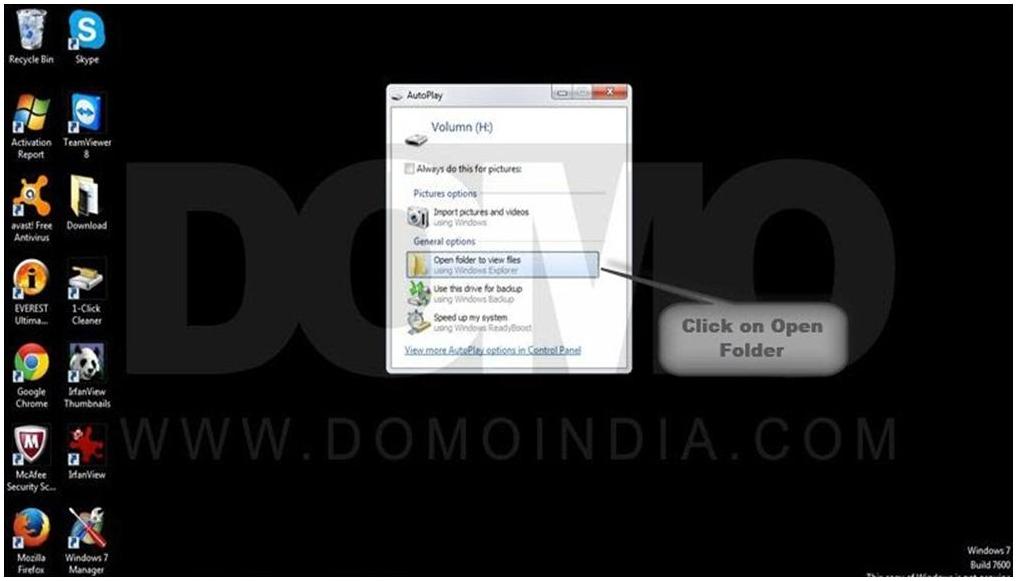
On the other hand on your laptop you can see a new hardware is detected, click on ‘Open folder to view files’.
Congratulations! Now you can copy paste files from laptop/computer to the tablet easily.
